Autonomous Coding Agents: How They Work and Run Safely
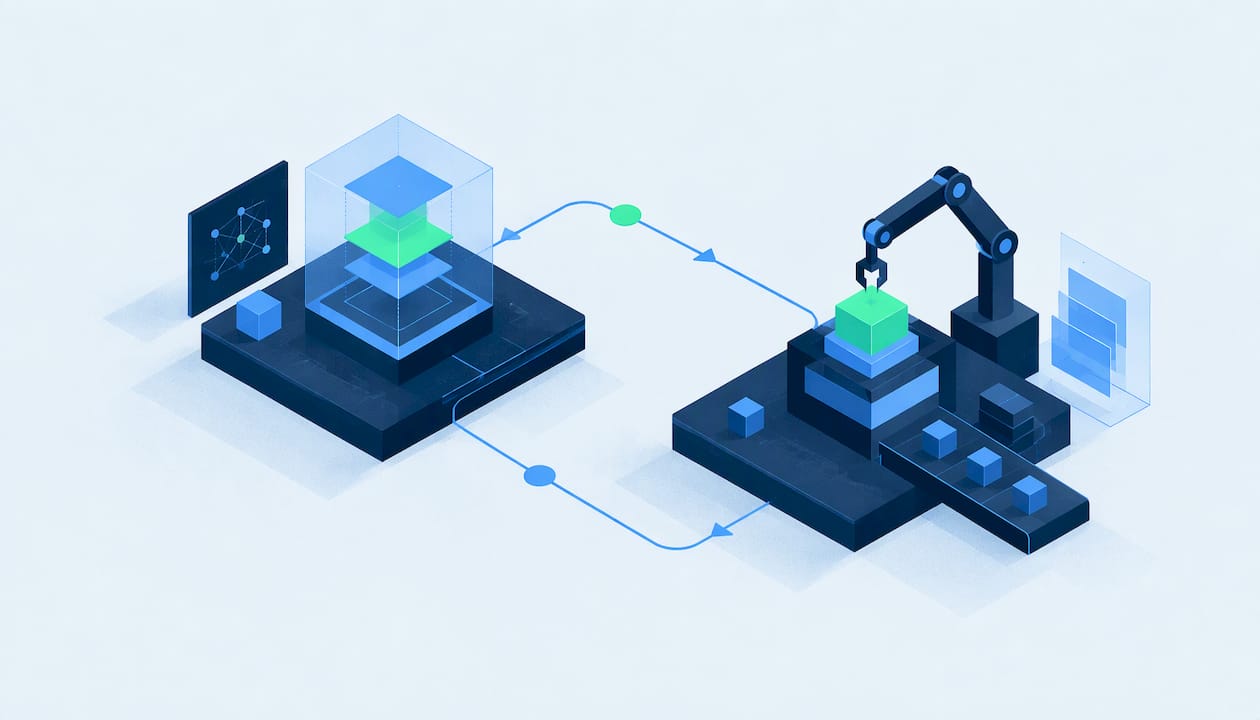
An autonomous coding agent is an AI system that takes a goal, plans the steps, edits code, runs commands and tests, reads the results and keeps going until the work is ready for your review. The useful ones run on your machine, under permissions you set, with a model you can swap. That is the design behind AILinux, an Ubuntu-based distribution where the ai-coder agent and TriForce MCP tools operate on the system itself instead of inside a browser chat.
This guide is for developers, sysadmins and AI enthusiasts who want an AI agent for software development that does real work. It covers what separates an agent from autocomplete, how the loop runs, where supervision still matters and how to set one up so a mistake stays small.
TL;DR
- An autonomous coding agent plans, acts, checks the output and revises in a loop. An autocomplete tool only suggests the next line.
- Autonomy comes in levels. Most reliable day-to-day work happens at the bounded, multi-step level, with a human reviewing the result.
- Research shows agents can cut your own effort and raise correctness, but they can also move the work into review. Measure on your own tasks.
- Permissions, sandboxing and approval gates matter more than the model. Treat every file, issue and tool response the agent reads as potential instructions.
- AILinux keeps the OS, files and execution local, routes inference to local or external models, and gives the agent MCP tools with configurable permissions and approvals.
Table of Contents
- What an autonomous coding agent actually is
- How the loop works
- What to hand to an agent, and what to keep
- What the evidence says about productivity
- Local or cloud: where the agent runs
- Keeping an agent safe: permissions first
- Testing whether an agent fits your workflow
- How AILinux approaches it
- Try it on your own machine
- A short setup checklist
- FAQ
- Sources
What an autonomous coding agent actually is
A code-completion assistant waits for you to type and suggests what comes next. An agent takes a high-level goal, breaks it into steps, executes them and adjusts based on feedback from your environment. The practical difference is who holds the loop. With completion, you do. With an agent, the software does, and you supervise.
A Springer survey of the field defines a coding agent as a system that observes a development environment, selects actions in pursuit of a goal and uses the resulting feedback to decide what to do next. It describes four interaction levels:
| Level | What it does | Who controls the loop |
|---|---|---|
| 1. Completion | Suggests tokens or lines | You |
| 2. Conversational coding | Multi-turn chat about code | You, copying results back |
| 3. Agentic coding | Navigates a codebase and runs commands in a bounded multi-step workflow | The agent, within limits |
| 4. Lifecycle-wide | Spans decomposition through deployment | The agent, largely unattended |
For the reader of this page, level 3 is the sweet spot. It is where an agent can open files, run your test suite and fix what fails, while you still decide what gets merged. The same survey notes that, as of its early-2026 cutoff, no public evidence established reliable end-to-end performance on production-grade work at level 4. Plan around that: give the agent bounded tasks, not your whole roadmap.
How the loop works
Most coding agents follow the ReAct pattern. An arXiv study of coding-agent architecture describes the model alternating between reasoning, which decomposes the task into subtasks, and requesting an action, repeated over multiple rounds until the task is done.
In practice that looks like the loop Snowflake’s coding-agent guide lays out: plan the task, inspect the codebase, make a change, run checks, read the output and revise until it is ready for review. The same guide points to self-correction as one of the clearest signs of agentic behavior: reading a test failure, deciding whether the bug is in the implementation or in the test, and running again.
That means an agent needs four things beyond a model:
- Tools. File reads and writes, a shell, search, version control. Without them it is a chatbot.
- A way to verify. Tests, linters, type checks. A loop with no check just confidently repeats itself.
- Memory. The plan, what it already tried and what the project conventions are.
- Limits. What it may touch, which commands it may run and when it must ask you.
When you evaluate any agent, check those four before you look at the model name.
What to hand to an agent, and what to keep
Agents do best on tasks with a clear definition of done and a fast check:
- Fixing a failing test or a reproducible bug
- Writing tests for existing functions
- Mechanical refactors across many files
- Scaffolding a small service or script
- Sysadmin chores with a verifiable outcome, such as writing and dry-running a backup script or auditing a config against a checklist
The HCAST benchmark of 189 tasks found current agents succeeded 70 to 80 percent of the time on tasks that take a human under an hour, and under 20 percent on tasks taking a human more than four hours. The lesson is to slice work small. Write the task the way you would write a ticket for a capable colleague: the goal, the files in scope and the command that proves it works.
Keep architecture decisions, security-sensitive changes and anything you could not review yourself in human hands. The CMU authors behind “Code with Me or for Me?” compare working with a copilot to pair programming and working with an agent to working with a fellow engineer, and caution that until agents are reliable across diverse contexts they need close human supervision.
What the evidence says about productivity
The numbers are mixed, and the mix is instructive.
In the CMU study, participants using agents reached 60% task correctness against 25% with copilots, and their own effort fell from 25.1 minutes to 12.5. Total human-plus-agent time was comparable, at 27.9 minutes. The agent took over the typing, and you spent your time directing and checking.
A KAUST review of vibe coding collects the other side: field experiments reporting 26% more tasks per week, an independent randomized trial measuring a 19% slowdown, and team telemetry showing code-review time up 441%. The authors argue these results are consistent once you hold measurement method, scope and time horizon constant, and they conjecture that gains are real on new code but shrink on mature codebases.
The Springer survey adds a point that matters for unattended runs: they can reduce how often you steer, but they can increase the amount of unfamiliar output you must review. So the right question is not whether the agent is fast. It is how much of your review time it adds back.
Local or cloud: where the agent runs
Two things get called “local” and only one is private. A Safeguard write-up on local coding agents explains that many local agents run only the agent process on your machine, while prompts and code still travel to a hosted model. If privacy is your reason for going local, ask where inference happens and what the provider retains.
There are real reasons to choose each side. Zylos Research finds cloud sandboxes win for multi-user systems, untrusted generated code and very long tasks of 8 to 24 hours, while local execution stays right for data that is expensive to move, latency-sensitive work (it puts cloud overhead at 50 to 250 ms per tool call), air-gapped environments and access to private-network tools.
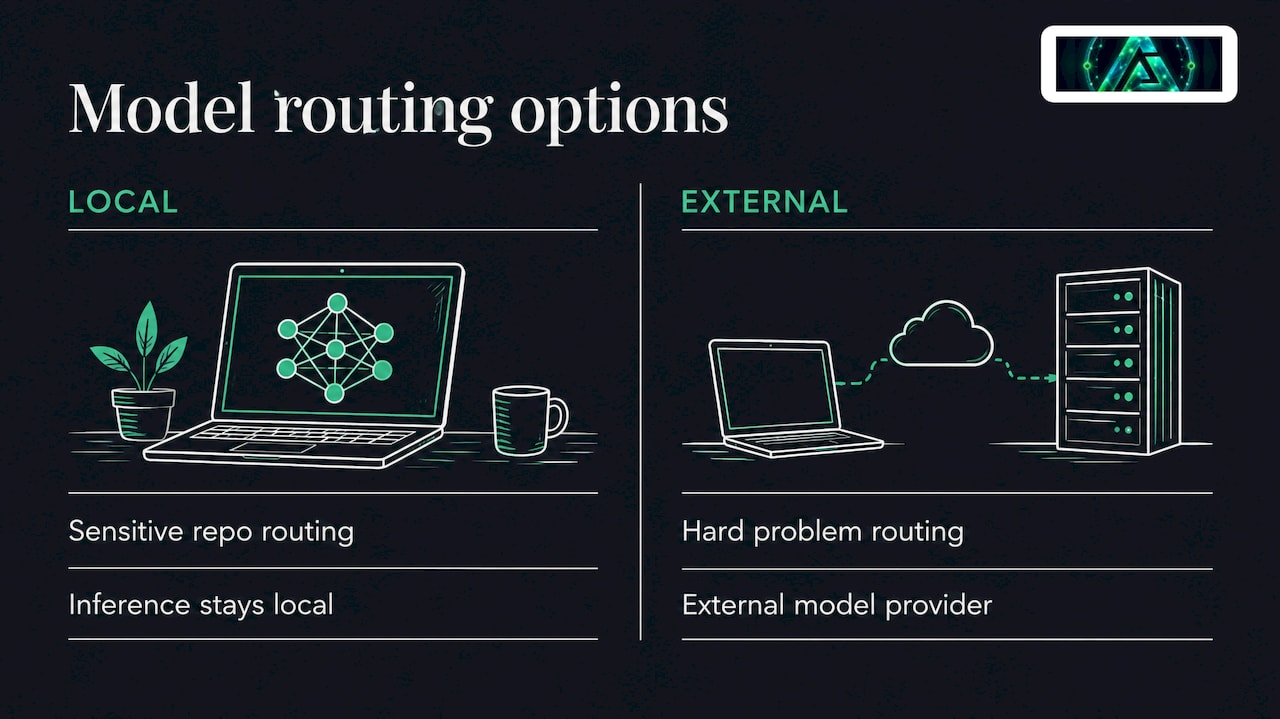
For developers and administrators, the second list describes daily life: private repos, internal hosts, servers you reach over SSH. That is the case for an agent that sits on the machine where the work is, and for a model layer you can point at a local model when the code must not leave the building, or at an external provider when you need more capability.
Keeping an agent safe: permissions first
An agent that can run commands is a user on your system. The OWASP cheat sheet on secure coding with AI lays out why this needs care:
- Repository content becomes instructions. Issue bodies, PR comments, READMEs, fetched web pages and MCP tool responses can all steer the agent.
- A malicious MCP server can poison tool descriptions or exfiltrate credentials.
- An agent with auto-accept and full developer permissions has the same blast radius as a compromised workstation.
The controls it recommends are concrete, and you can apply them on any setup:
- Run the agent in a sandbox: a dev container, restricted shell, VM or ephemeral workspace.
- Use tool allowlists, so only named tools are available.
- Block access to credential stores and SSH keys.
- Apply egress controls so the agent cannot send data anywhere it likes.
- Use short-lived, task-scoped credentials and set resource limits.
- Never enable auto-accept on a codebase you do not trust.
- Name a human owner for every AI-assisted change and keep an audit trail of who approved what.
The architecture study’s research prototype shows the same pattern in miniature: it works in a temporary copy of the project, restricts paths and tools, fixes the test command and applies a patch only after explicit user approval. Isolated workspace, narrow tools, human approval: that is a good template for your own rules.
If you use local models through an inference server, check how it is exposed. One 2026 security roundup notes that a popular local model server has no authentication and binds to 127.0.0.1 by default, and reports large numbers of publicly reachable instances. Keep yours on the loopback interface or behind a firewall.
Testing whether an agent fits your workflow
Public benchmarks tell you about benchmarks. METR’s time-horizon work, as summarized in an analysis of agent autonomy, estimates how long a task an agent can complete at a given success rate, and also warns that no horizon figure is a delegation threshold. What you need is a local sample.
A workable routine:
- Pick ten tasks from your own backlog that a human could finish in under an hour.
- Write each as a ticket with a clear check.
- Run the agent on all ten with approvals on.
- Record success, your review time and the cost of each failure.
- Count total human effort, including the reading and rework, not just the minutes the agent ran.
- Raise the task size only where the success rate holds.
That last step is how you move from level 2 habits to level 3 safely. Expect results to differ between a fresh service and a ten-year-old codebase.
How AILinux approaches it
Most agents live inside an editor or a browser tab. AILinux takes the other route: it is an Ubuntu-based distribution with an AI system agent for coding, DevOps, system administration and task verification. The operating system, files and execution stay local, while inference can use interchangeable local or external model providers. The agent works on Linux through MCP tools (the Model Context Protocol, a standard way to give an agent access to tools) covering code, workspace, memory, search, devices and automation, with configurable permissions and approval controls.
That maps directly onto the checklist above. Permissions and approvals are the control surface OWASP asks for, and the model choice is yours: you can route a sensitive repo to a local model and a hard problem to an external one. The ai-coder release notes describe the pieces as they have arrived: a multi-agent team runtime with RAM workspaces and bring-your-own-key support, then provider-aware execution and persistent memory. For the wider picture, the development update on AI-Coder and MCP sharing explains where the desktop is heading.
Try it on your own machine
You can take the distribution as a whole or start with the agent. The AILinux 26.05 ISO gives you the full desktop with the AI layer, and the ai-coder page covers the agent itself. The AILinux Helper and MCP server page covers the tool side.
A sensible first session: install, connect one model provider, keep approvals switched on, and give the agent one small ticket from your backlog with a test as the check. Once it passes your review a few times, widen the permissions one tool at a time.
A short setup checklist
- Work in a throwaway branch or workspace, never directly on main.
- Give the agent only the tools the task needs.
- Keep secrets, SSH keys and cloud credentials out of its reach.
- Require approval for shell commands that write, delete or reach the network.
- Make the check automatic: a test command that must pass.
- Read the diff before merging, every time, and put your name on it.
FAQ
Is ChatGPT an autonomous agent?
A plain chat window is conversational coding: you ask, it answers, and you run the result. It becomes agentic only when software around the model can use tools, run checks and loop on the results without you copying text back and forth.
Which autonomous coding agent is best?
That depends on where you work and what you can review. Start from your constraints: local execution, model choice, permission controls and approval gates. Then test on ten tickets from your own backlog and compare total human effort, not demo speed. AILinux is built for people who want the agent on their own Linux system with those controls.
Can an autonomous coding agent run fully offline?
It can if the model also runs locally and the tools need no network. Many setups only run the agent process locally while the prompts go to a hosted model, so confirm where inference happens. With AILinux, inference can use a local model provider or an external one, so you decide per project.
How much should I trust its output?
Trust the checks, not the agent. Research shows high success on short tasks and a steep drop on long ones, and unattended runs can add review work. Keep tasks small, keep tests automatic and review every diff before it merges.
Does an agent replace a developer or sysadmin?
The evidence points to a division of labor: the agent handles the typing and trial-and-error, and you handle direction, review and accountability. In the CMU study, user effort roughly halved while total time stayed comparable.
Sources
- Introduction to agentic coding
- From Code Completion to Agentic Development: A Survey (Springer)
- Understanding the Architecture of Coding Agents (arXiv)
- Coding Agents: What They Are and How They Work (Snowflake)
- Code with Me or for Me? (arXiv)
- Vibe Coding: Practice, Performance, Productivity (arXiv)
- HCAST benchmark results (alphaXiv)
- Coding Agents That Run Locally (Safeguard)
- Remote Tool Execution and Cloud Sandbox Platforms (Zylos Research)
- Secure Coding with AI (OWASP Cheat Sheet Series)
- Is Ollama Safe? Privacy, Exposed APIs and CVEs
- The Boundaries of Real Agent Autonomy
Recommended
- ai-coder 1.2.2: Multi-Agent Team Runtime, RAM Workspaces, BYOK and Native Anthropic Support
- AILinux Development Update: AI-Coder, MCP Sharing and the Road to a Distributed AI Desktop
- AICoder 1.4.0 released — Teamrun bugs fixed, provider-aware execution and persistent memory
- AILinux, TriForce & ai-coder – the AI platform for Linux, API, and autonomous workflows